A visual HTML email builder made for real-world production.
Build with real email sections, table-safe spacing, responsive structure, and production controls designed for inbox work.
 Open Studio
Serious Email Studio
Serious Email Studio is an HTML email builder and email template editor for solo marketers, freelancers, and teams that need reusable blocks, brand control, previews, testing, and clean HTML export without hand-coding every campaign.
Built for the real work of creating, updating, testing, organizing, and exporting production-ready HTML email.
Build with real email sections, table-safe spacing, responsive structure, and production controls designed for inbox work.
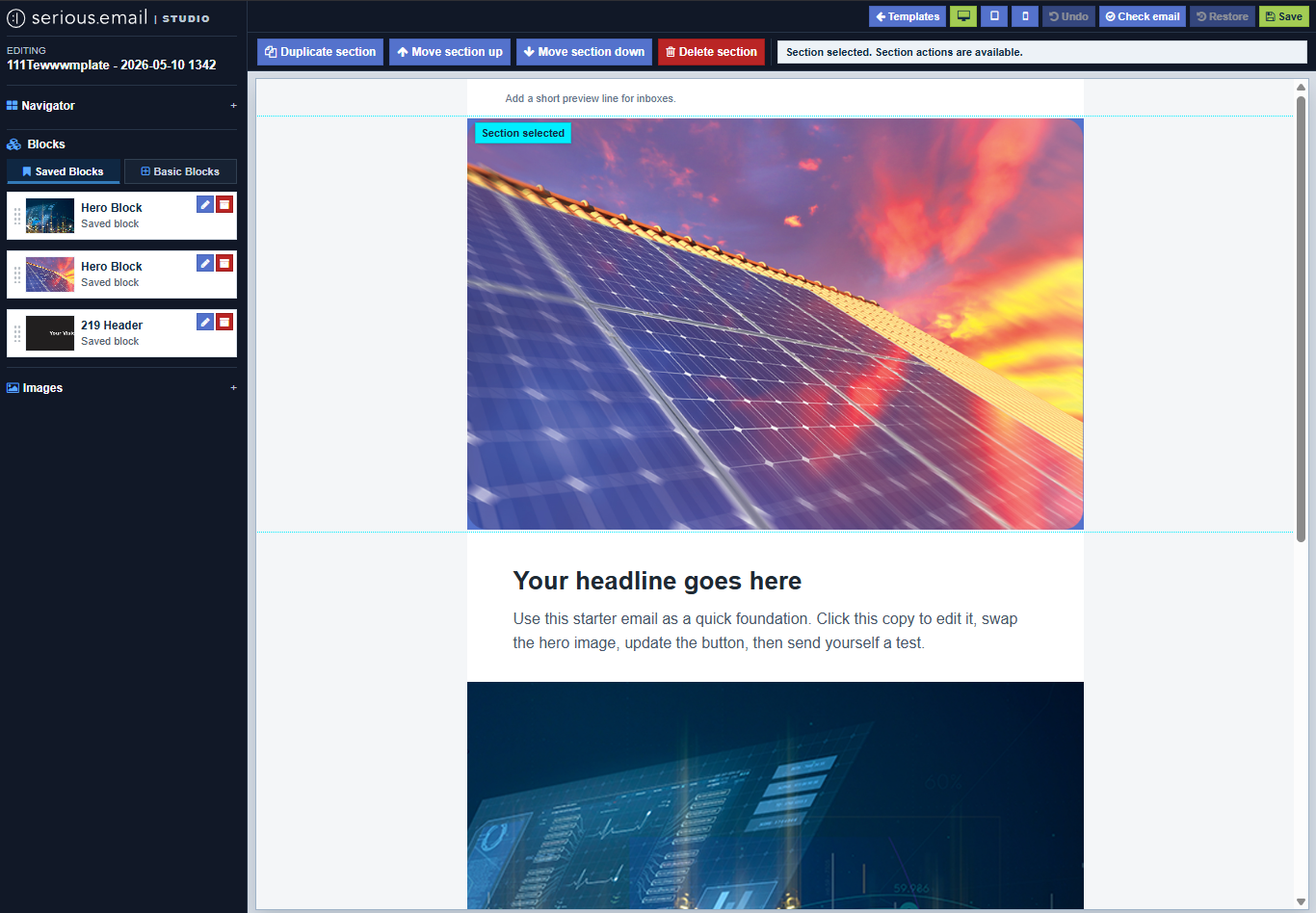
Select whole sections, reorder them, duplicate them, delete them, or save the best parts as reusable blocks.
Start with prebuilt preheaders, headers, heroes, text, images, buttons, two-column layouts, dividers, spacers, and legal footers.
Save strong sections once, then reuse them across future emails without rebuilding the same layout again.
Edit selected text with familiar formatting tools while staying inside the visual production workflow.
Manage email images, swap assets, update alt text, change image links, and keep visual work moving.
Update URLs, button labels, image widths, alt text, background images, and repeated values from one focused inspector.
Adjust section backgrounds, side spacing, vertical spacing, divider colors, spacer height, and two-column order safely.
Bring in a full email, review suggested editable areas, and turn past work into something easier to update and reuse.
Edit selected HTML, format code, or import a full email without being trapped inside the visual editor.
Move quickly while keeping a recovery path for edits, saved versions, and earlier working states.
Run checks for builder schema issues, HTML validity, and email compatibility problems before testing or exporting.
Switch views while editing so layout problems are easier to catch before the inbox review stage.
Send previews to yourself immediately, manage recent recipients, and require outside recipients to confirm before delivery.
Copy the rendered HTML or download a ZIP package with the email and its images when the build is ready.
Create templates, search by name, organize by project, edit subject and preheader details, and archive old work.
Search templates, organize them by project, update settings, manage subject and preheader details, and archive old work from the library.
The Studio workflow
Studio is built for the practical middle ground between rigid templates and hand-coded everything.
Teams can compose emails from approved reusable email blocks, manage images, preview content, send tests, and export clean HTML for downstream systems like Pardot or other campaign tools. Serious Email's managed sending work remains private and invite-only.
Built for real production
Email work has its own constraints. The tool should respect them.
Launch recurring campaigns without turning every request into a design or development ticket.
Keep client templates consistent while making routine edits easier to delegate and review.
Give non-developers controlled flexibility without surrendering the underlying email system.
Start with the right pages
How Serious Email Studio helps teams build, preview, test, and export production-ready HTML email campaigns.
How reusable templates and blocks make recurring campaign production easier to control.
How reusable sections reduce drift across teams, brands, and campaign types.
A practical QA checklist for email teams before sending a campaign.
How Studio fits teams that need visual editing, reusable blocks, previews, testing, and export.
What to review before handing production HTML to the campaign system that sends it.
How Studio fits teams preparing HTML email for Pardot or Account Engagement handoff.